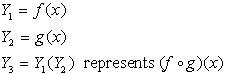
Given:
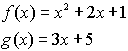


Solution:
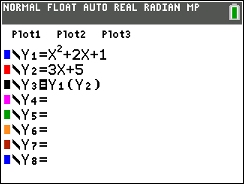
1. Enter f (x) into Y1 and g(x) into Y2.
2. Enter the expression for composition into Y3.

3. Turn off the first two entries so that their graphs do not appear when the composition is graphed.
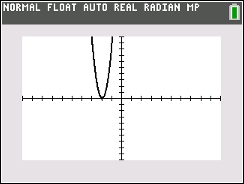
4. Set an appropriate viewing window for the graph.
5. Graph. (this will be the answer to part a)
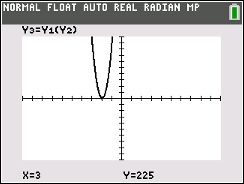
6. While on the graphing screen,
hit TRACE, #1 value.
Simply enter the number you wish to find (if that number
is within the viewing window.) Hit ENTER for the answer. (this will be
the answer to part b)
OR
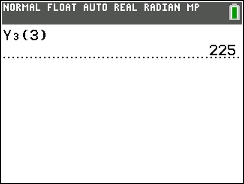
From the home screen, enter Y3( ), assuming your
functions are entered in Y1 and Y2 with the composition expression in Y3.
Hit ENTER. (this will be the answer to part b) |